
Querying past beliefs
This tutorial is the headline-feature one: it shows how the bitemporal audit-time picker actually feels in use. Most monitoring tools answer “now” — l2trace answers “now, and at any T”.
You’ll need the first-traceroute tutorial
state: stack up, demo replayed, three rows in mac_observation.
The two time dimensions
Section titled “The two time dimensions”Every row in mac_observation has two ranges:
valid_during— when the fact was true on the networkrecorded_during— when our system believed it
A normal forwarding event closes the old row’s valid_during and inserts
a new row. A belief revision — a late-arriving event that says
“actually, what we thought was true at T was wrong” — closes the old
row’s recorded_during and inserts a new row at the historical
valid_during. Both stay in the log; nothing is overwritten.
The TUI exposes both axes via two controls:
- The as-of header (top of every screen) sets the wire-time you’re asking about — what was on the network at T?
- The audit-time CLI flag (
--audit-at) sets the belief-time — what did we believe at T?
The TUI surfaces wire-time prominently because that’s the operator’s day-job question; belief-time is mostly forensic and lives in the CLI.
Try it: wire-time travel
Section titled “Try it: wire-time travel”After running make replay, you have three rows in mac_observation.
The interesting one is the move:
entry_id=1 mac=aa:bb:cc:11:22:33 port=Eth1 valid_during=[T+0, T+20s)entry_id=2 mac=aa:bb:cc:44:55:66 port=Eth2 valid_during=[T+10s, ∞)entry_id=3 mac=aa:bb:cc:11:22:33 port=Eth2 valid_during=[T+20s, ∞)(Times are relative — the actual T is whatever make replay recorded
for the first event.)
Launch the TUI:
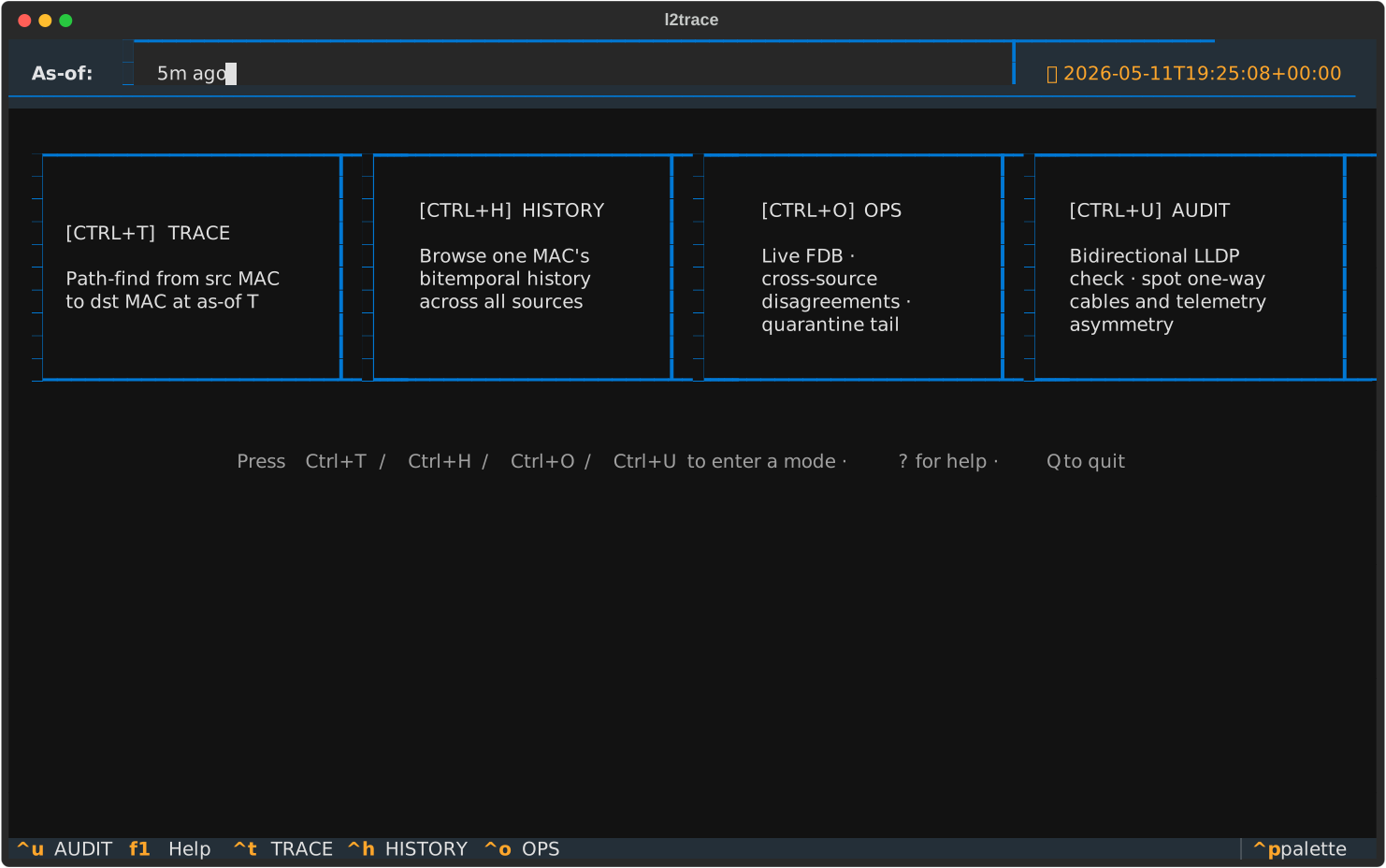
make tuiThe HOME screen with audit time set to “5m ago” — note the amber pill showing the exact instant we’re viewing through:
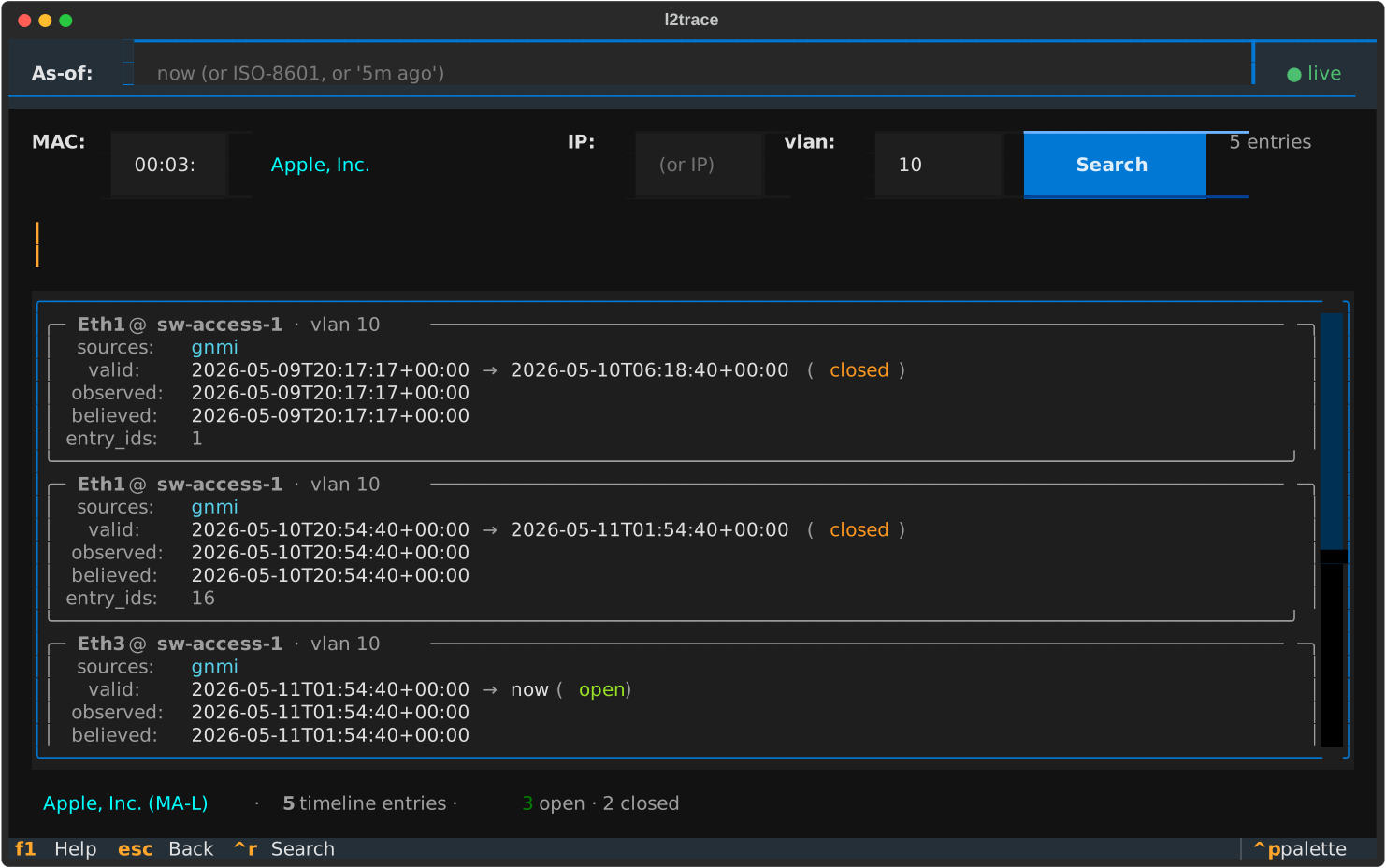
Press Ctrl+H for HISTORY, type aa:bb:cc:11:22:33, hit Enter. You’ll
see two timeline entries: one closed at T+20s (the Eth1 row), one open
from T+20s onwards (the Eth2 row).
Now the demo:
- Click into the as-of header at the top.
- Type
nowand Enter. The status reads● livein green. Both timeline entries are visible — the historic Eth1 row and the current Eth2 row. - Type
5m ago(assuming the replay ran less than 5 minutes ago, this resolves to a time before the move). The Eth2 row’svalid_duringfilter excludes it — you see only the Eth1 row. - Type
1m ago. Both rows reappear (you’re past the move).
You just travelled in wire-time without retyping the query.
Try it: belief-time travel (the forensic axis)
Section titled “Try it: belief-time travel (the forensic axis)”Belief-time matters when events arrive late and rewrite history. The TUI doesn’t surface it because it’s an “I need to audit what we knew at T” question, not a daily-operations question. The CLI does:
make trace SRC=aa:bb:cc:11:22:33 DST=aa:bb:cc:44:55:66 VLAN=10That uses current belief. To ask “what did we believe at noon yesterday?”:
make trace SRC=aa:bb:cc:11:22:33 DST=aa:bb:cc:44:55:66 VLAN=10 \ AS_OF=2026-05-10T14:00:00ZThe AS_OF flag drives wire-time. For belief-time, run l2trace trace
directly inside the reconciler container:
docker compose run --rm --no-deps reconciler \ l2trace trace --src aa:bb:cc:11:22:33 --dst aa:bb:cc:44:55:66 \ --vlan 10 --as-of 2026-05-10T14:00:00Z \ --audit-at 2026-05-10T16:00:00ZThat reads: “Show me the path between these two hosts as it was on the network at 14:00, but only using beliefs we’d recorded by 16:00.” If a late-arriving event corrected a previously-believed-but-wrong row, the two answers will differ — and you’ll see which.
For the demo dataset both timestamps yield the same result (the demo doesn’t simulate late arrivals). But the queries work the same way in production where late arrivals are routine. The late-arrival explainer walks through what the reconciler actually does in that case.
What’s next?
Section titled “What’s next?”- Compare two as-of times in one query: now that you know
--as-of, the natural next move is asking “did the path change between T1 and T2?” — that’s what How to diff a traceroute between two times covers. Same bitemporal store, structured per-hop diff output. - See how this works under the hood: Why bitemporal?
- The original Fowler essay we modelled the vocabulary on: Time Narratives
- Investigate a real MAC’s history: How to investigate a MAC’s history