
Bitemporal
Every observation carries two time ranges: when it was true on the network (valid time) and when we believed it (transaction time) — canonical Snodgrass §2 shape. “As of T” queries are first-class on both axes.
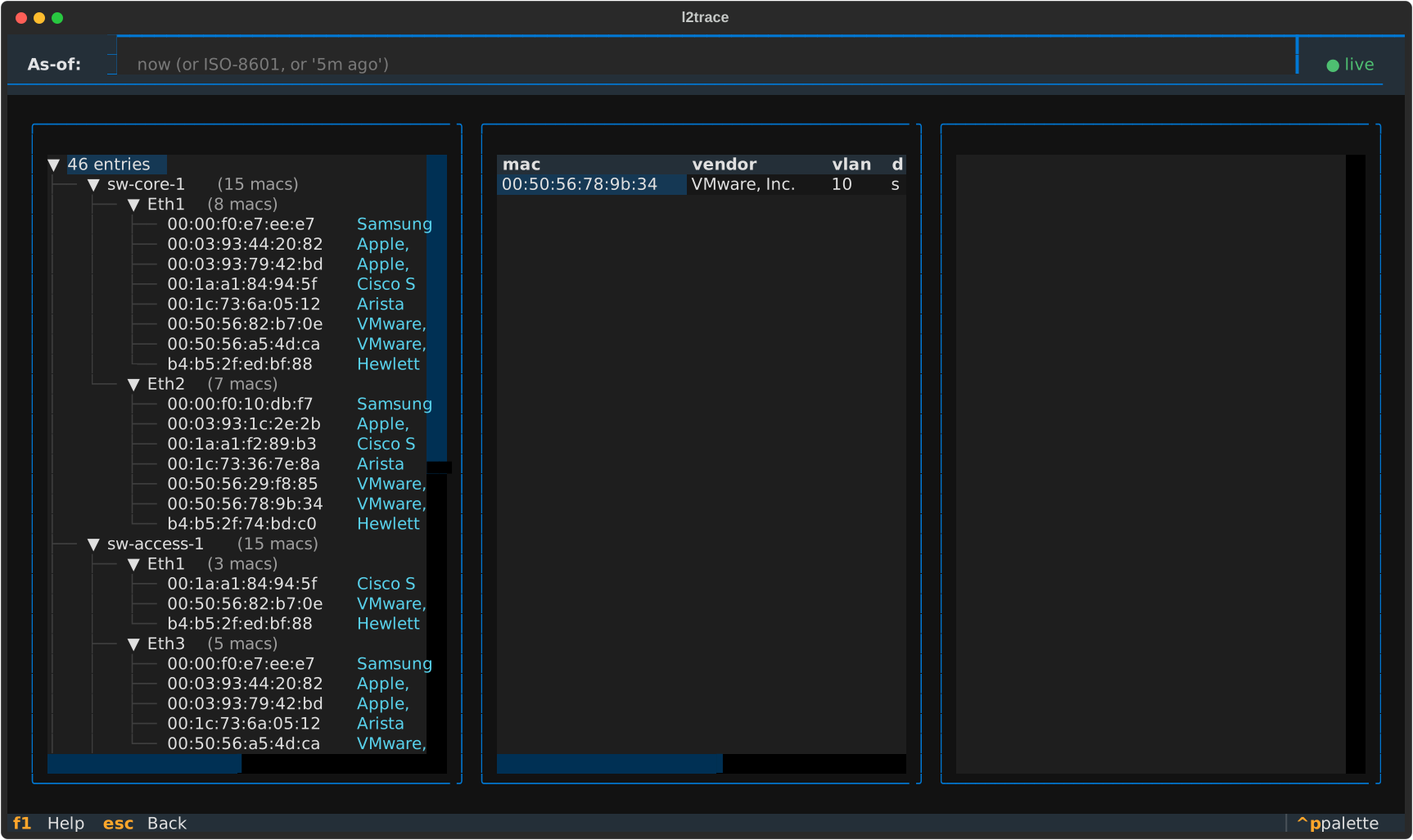
The OPS dashboard answers “what’s broken right now?” at a glance — and the as-of header at the top means it answers the same question for any T.
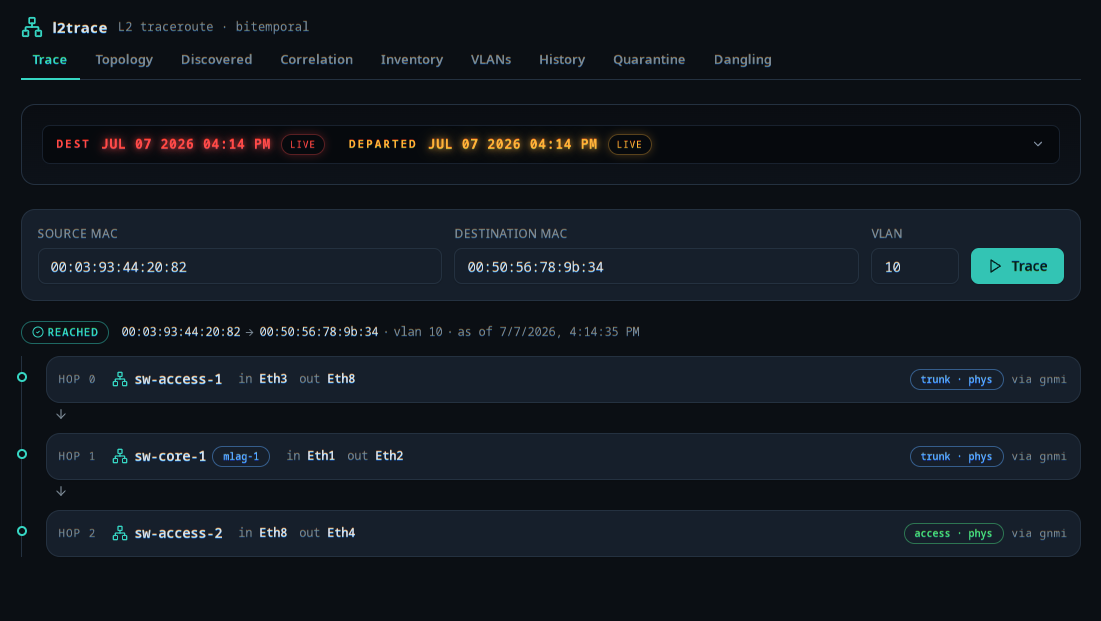
Prefer a browser? The same engine drives a nine-screen web UI. Trace renders a frame’s path hop by hop:
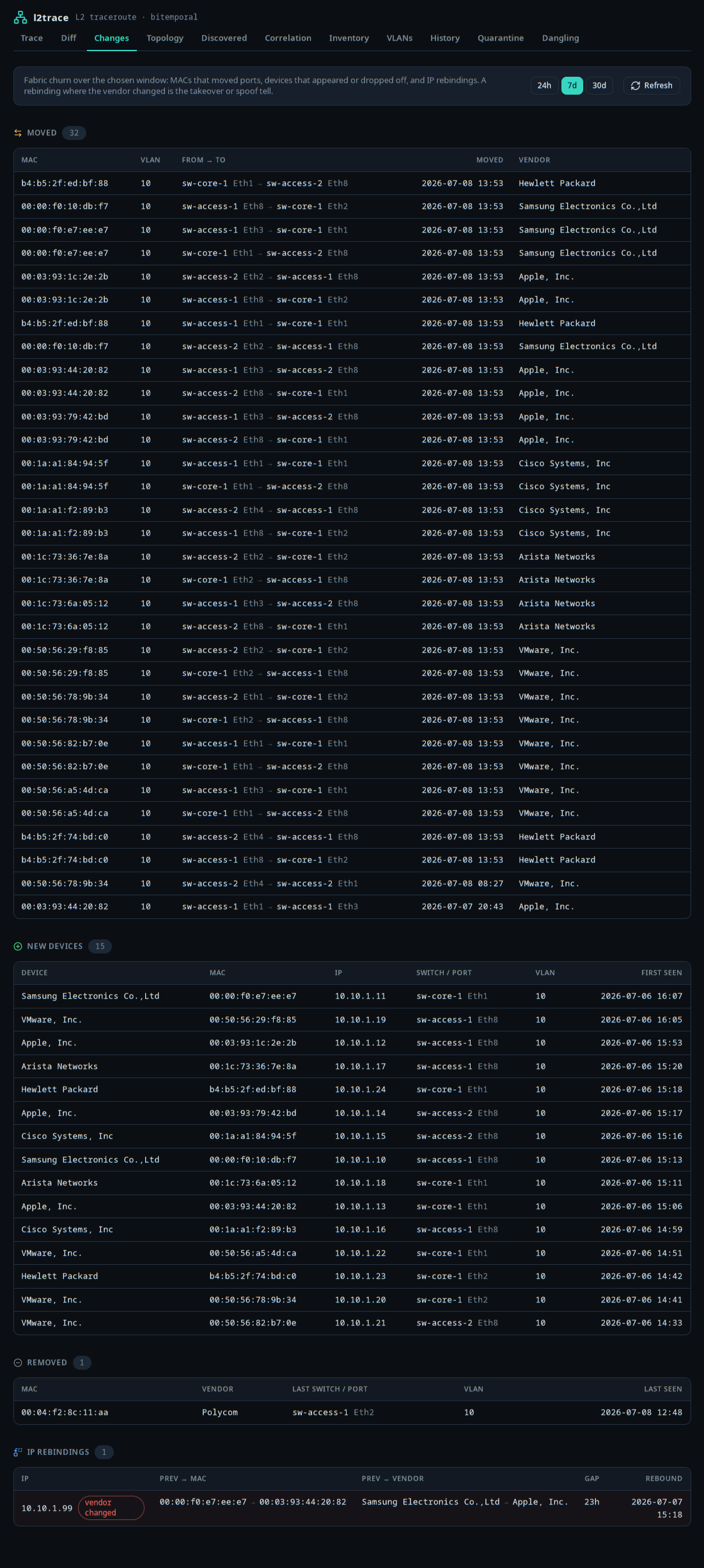
Changes is the fleet-wide review: what moved, what appeared, what was removed, and the IP rebindings worth a second look (a different-vendor MAC on an IP is the takeover signal, flagged and sorted to the top):
Topology, Discovered, Correlation, Inventory, VLANs, History, and Diff round it out. Full walkthrough in The web UI.
Existing OSS network tools (Netdisco, NetDB, NeDi, LibreNMS) answer “where is MAC X right now?” well. They struggle with three harder questions:
l2trace is built around those three questions.
Bitemporal
Every observation carries two time ranges: when it was true on the network (valid time) and when we believed it (transaction time) — canonical Snodgrass §2 shape. “As of T” queries are first-class on both axes.
Hop-by-hop
A Postgres recursive CTE walks adjacencies, filters STP-blocking edges, handles MLAG group collapse, passes through virtual-switch placeholders for gear we can’t poll, and terminates cleanly on flood / dead-end / loop.
Multi-source
gNMI streaming + per-vendor SNMP plugins (cisco / arista / juniper / nokia / mikrotik / hp / extreme) + SSH via napalm collect FDB + LLDP + STP + ARP in parallel. The reconciler converges them into one bitemporal log and surfaces cross-source mismatches as disagreements.
Audit suite
Seven operator-facing detectors over the bitemporal log surface real-world bugs: bidirectional LLDP, MAC flap, multi-VLAN MAC, STP-CAM cross-layer, STP root disagreement, ARP IP-collision, port-state vs CAM. → How the matrix is built
Simulation-measured
Bejerano-style parameterized random topologies + synthetic bug injection give per-category detection coverage at 100% in CI. Failing trials are reproducible from the seed alone.
Two front-ends
A keyboard-driven Textual TUI (TRACE / HISTORY / OPS / AUDIT / CHANGES / DIFF) for the terminal, and a nine-screen web UI for the browser — both over the same engine, both with an ambient as-of timestamp picker.
These docs follow the Diátaxis framework — four kinds of writing, each answering a different question:
Tutorial
Learning by doing. Start from make up and end with your first
bitemporal traceroute. → Start here
How-to
Task-oriented recipes. “I want to find out who flapped this MAC last week.” Or, “I want to sweep the audit suite end-to-end.” → Run the audit suite · Other how-tos
Reference
Look-up facts. CLI flags, schema columns, event envelope fields. → Reference
Explanation
Why it works that way. The bitemporal model, the traceroute algorithm, the reconciler’s late-arrival rule. → Explanation